Haitei - Offline Riichi Mahjong Companion App
Prologue
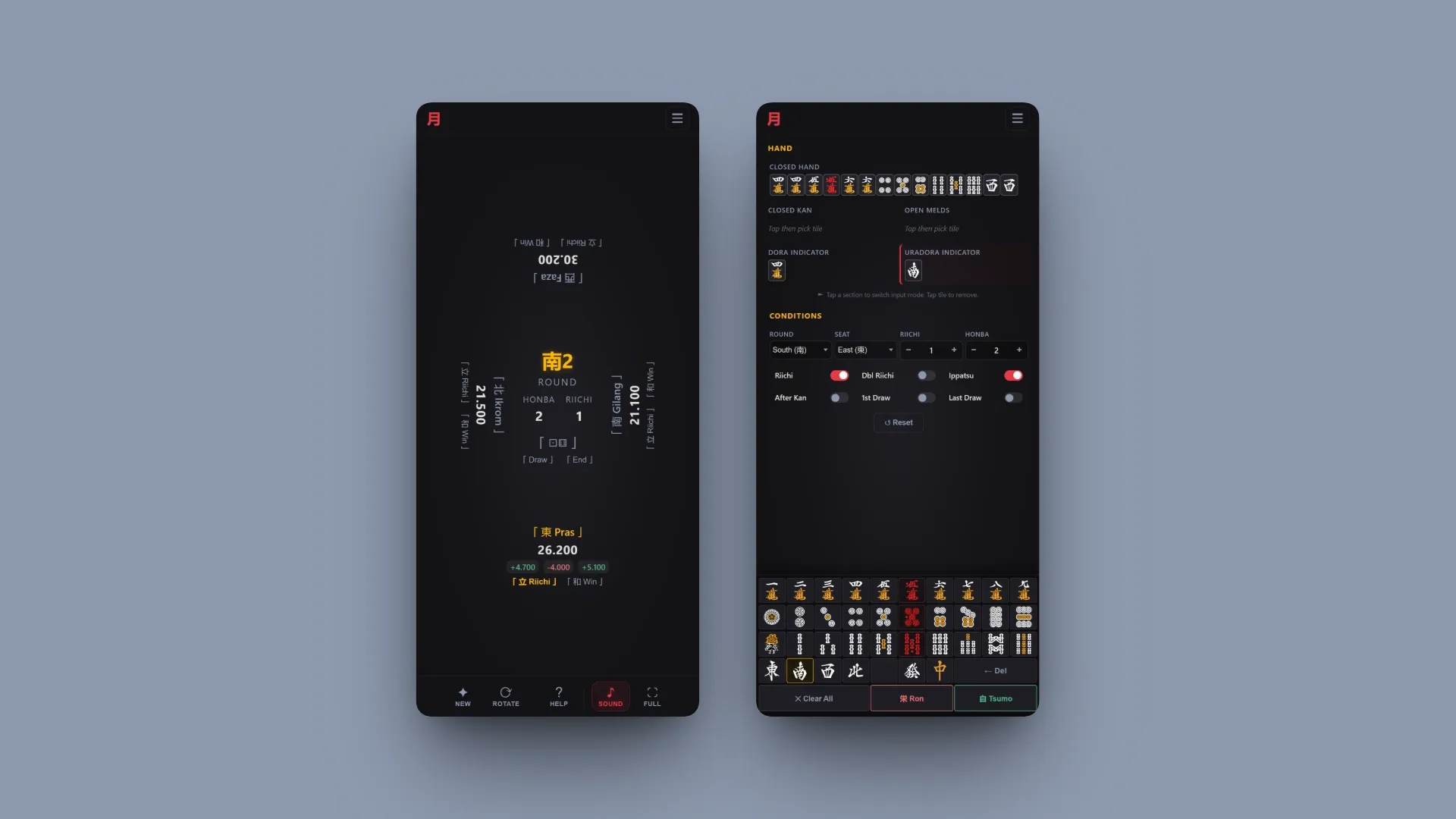
One of the nice things about being a developer is that you can lessen your pain by building your own app to solve your own problems. Built for my friend group’s convenience when playing IRL. It’s live at haitei.ekadasa.net. Here are the features:
Compass (Score and Round Tracker)
- Automatically advances to the next round/honba when the conditions are met.
- Shows the score difference between each player.
- Han/Fu input. It’s the default because it’s the faster method if you’re experienced.
- Integrated with the calculator, so the game state is automatically passed to it whenever possible (like the current wind and riichi sticks).
- Custom scoring for edge cases like chombo (interestingly, you can also play non-Riichi variants because of this).
- Game state is saved in the browser database, so you can close it and come back later.
- Editable by design, so you can go back to a previous round or change the score if there is a mistake.
Calculator
- Standalone version that’s separate from the Compass.
- Also calculates waiting tiles as if you are still in iishanten for furiten checks.
Session/Game History
Press End and then Save in the Compass to save the final score and the score log for each round to the browser database. You can view your saved logs in the History menu.
You don’t need to meet any specific condition to save a log. This is deliberate because, in my experience playing IRL, sometimes we stop in the middle of a hanchan because someone is too tired or it’s already too late at night.
Because everything is stored in the browser database, make sure to export your data from the Settings menu in case your browser wipes it.
Other Features
Game and Riichi BGM
One thing we miss so much from online clients is the BGM. We can manually play music on our phones, but it’s a hassle for riichi specials.
You can upload music from your local files, and it will be saved to the browser database.
Saki Cards
For more information: Saki Cards on X
Why include this? I like Saki.
Disabled by default. You can enable it from the Saki Cards menu or the Settings menu.
I hope this app also helps your group to speed up the game so you can play more sessions of mahjong. Any feedback is welcome, thank you!
Loading comments...